
The Reminder to Book feature sends automated emails to all employees, prompting them to reserve their parking spots in advance. This helps ensure that parking capacity is used efficiently and that employees plan their commute ahead of time.
What is a reminder to book?
A reminder to book is a recurring email sent to all employees, encouraging them to reserve their parking spots. Unlike booking reminders (which notify users about existing reservations), this feature proactively nudges employees who haven't booked yet. You can configure how often the reminder is sent, on which day, and at what time.
Enabling reminder to book for parking
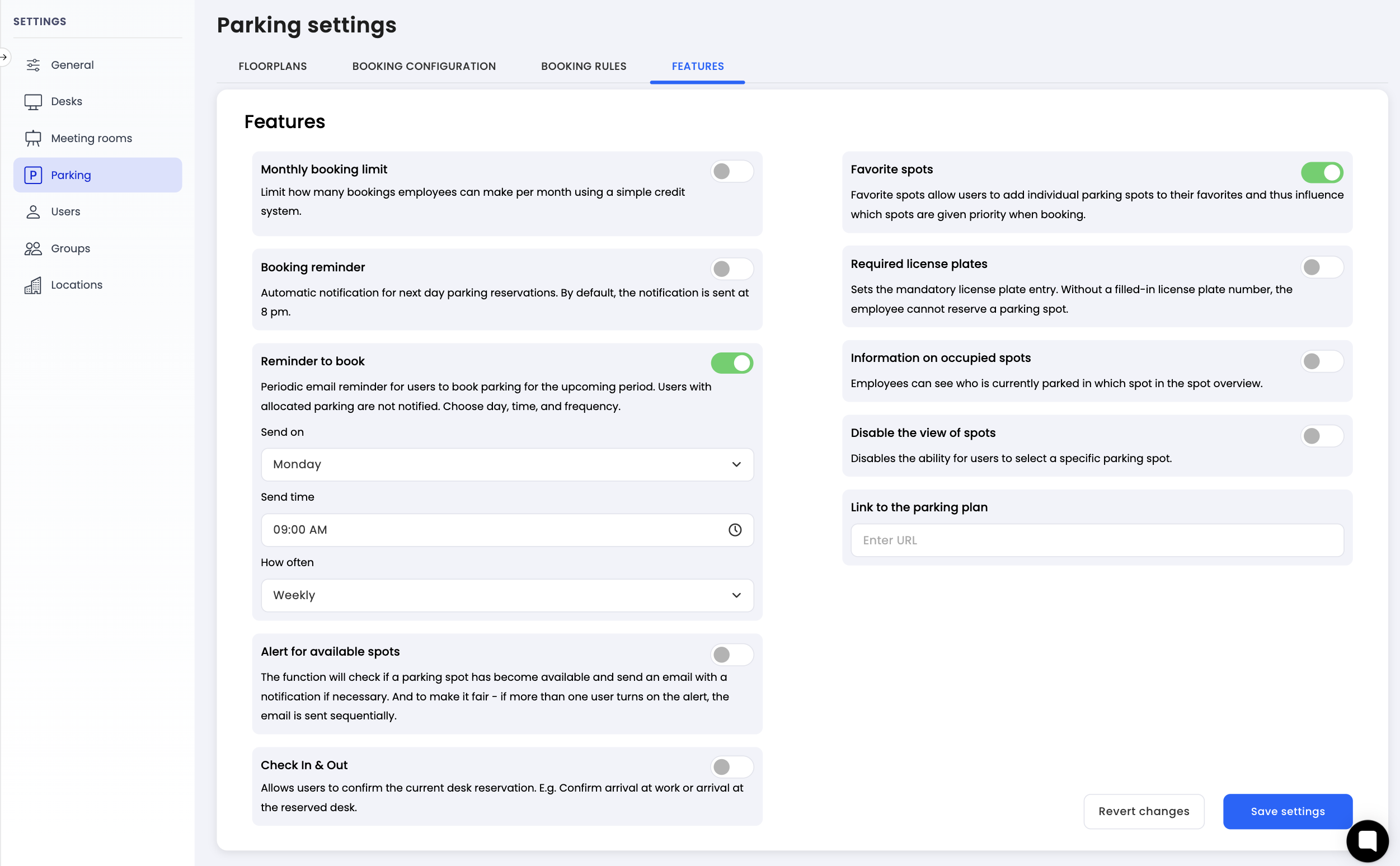
Navigate to settings: Go to the settings menu in Dibsido.
Select Parking settings: Under settings, choose the "Parking" option.
Go to Features tab: Within the parking settings, click on the "Features" tab.
Enable Reminder to Book: Find the "Reminder to Book" option and toggle it on.
Set frequency: Choose how often the reminder should be sent:
Weekly - employees receive a reminder every week.
Bi-weekly - employees receive a reminder once every two weeks.
Monthly - employees receive a reminder once a month.
Set day and time: Select the day of the week and the time at which the reminder email should be sent.
Save changes: Click "Save" to apply the settings.
How it works
Once enabled, Dibsido will automatically send an email to all employees at the configured frequency, day, and time. The email encourages them to go ahead and book their parking spots for the upcoming period.
For example, if you set the reminder to weekly on Sundays at 6:00 PM, every Sunday evening all employees will receive an email prompting them to reserve their parking spots for the week ahead.
Summary
The Reminder to Book feature helps your team stay proactive about parking reservations. Enable it in the Parking settings under the Features tab, choose your preferred frequency, day, and time, and let Dibsido keep your employees on track.