
Login aliases allow users to associate multiple email addresses with a single Dibsido account. This is useful when employees have more than one email address within their organization, such as [email protected] and [email protected], and need to access Dibsido using any of them.
What are login aliases?
A login alias is an additional email address linked to an existing user account. The user's primary email remains unchanged, but they can also sign in or be recognized in Dibsido using any of their aliases. This is particularly helpful in the following scenarios:
Multiple email domains: When a company uses more than one email domain and employees have addresses on each.
Name variations: When an employee has multiple email addresses with different name formats (e.g., a formal and an informal version).
Microsoft Teams integration: When using the native Microsoft Teams app, the alias ensures that Dibsido correctly identifies the user, even if Teams uses a different email address than the one originally registered in Dibsido.
External account sign-in: When employees sign in using an external Microsoft or Google account that has a different email address than their primary Dibsido account.
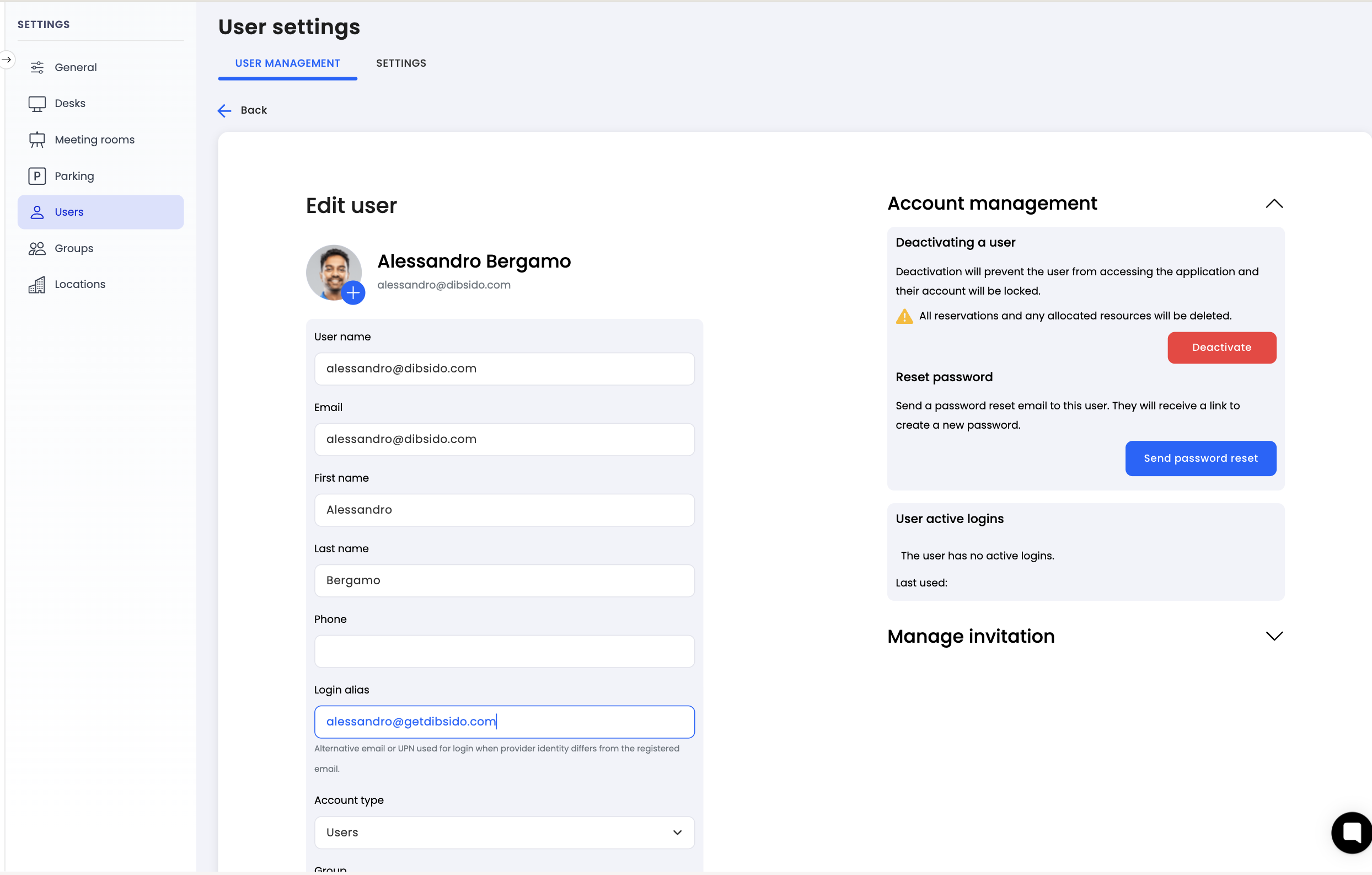
Adding a login alias as an administrator
Navigate to settings: Go to the settings menu in Dibsido.
Select Users: Open the "Users" section.
Open user profile: Click on the user you want to edit.
Find Login Aliases: In the user detail view, locate the "Login Aliases" section.
Add alias: Enter the additional email address and save.
Adding a login alias as a user
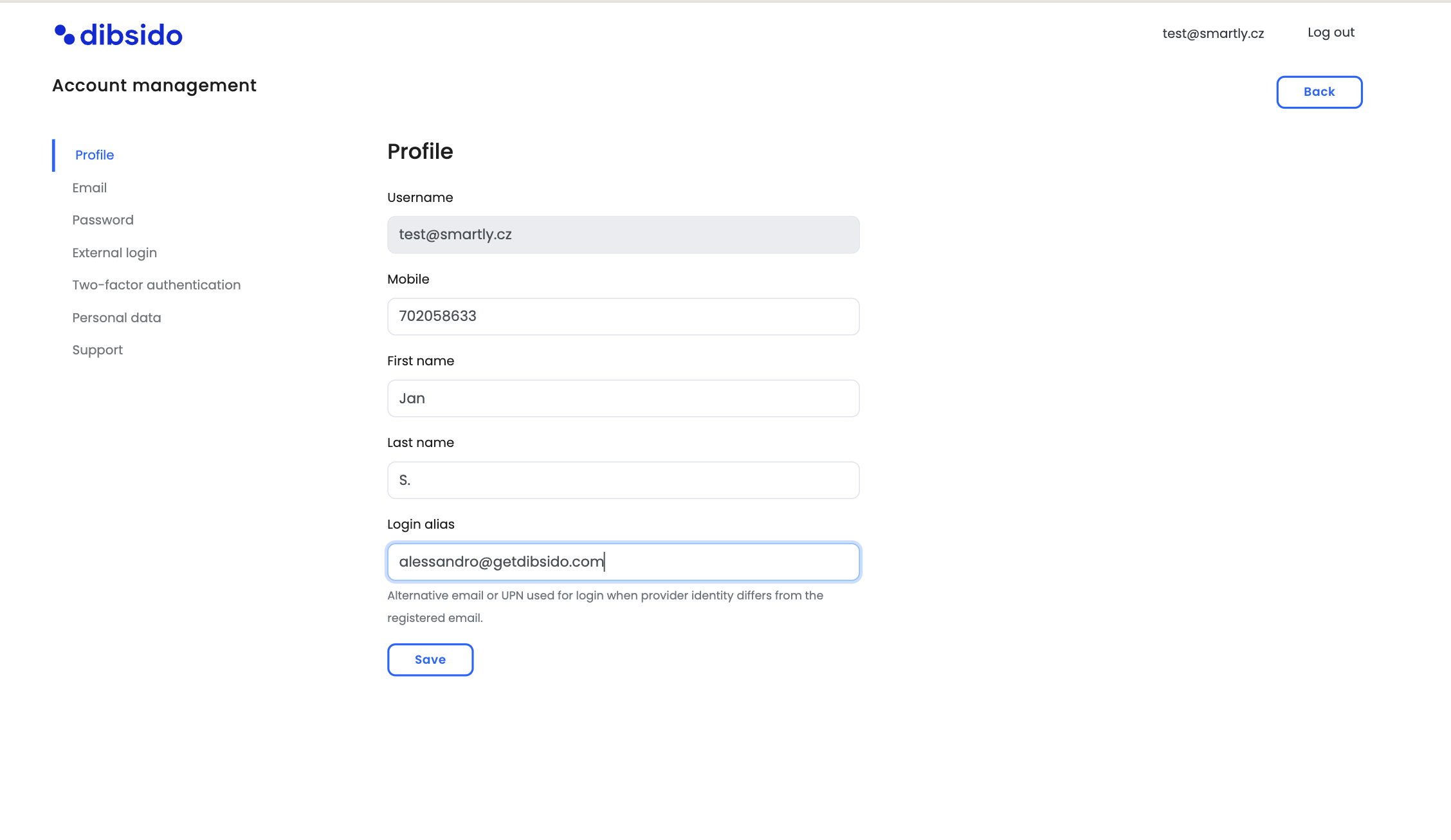
Employees can also add login aliases to their own account without needing an administrator:
Open My Account: In the Dibsido app, click on the user icon in the bottom-left corner and select "My Account."
Go to Profile: Navigate to the profile section.
Find Login Aliases: Locate the "Login Aliases" option.
Add alias: Enter the additional email address and save.
Summary
Login aliases make it easy to link multiple email addresses to a single Dibsido account. This ensures seamless sign-in and correct user identification across integrations like Microsoft Teams and external account logins. Aliases can be added by an administrator through the user settings or by the employee themselves through their account profile.