
As an administrator, you can trigger a password reset for any user in Dibsido. This is useful when an employee is locked out of their account, has forgotten their password, or needs to update their credentials for security reasons.
How it works
When you initiate a password reset, Dibsido sends an email to the user with instructions on how to set a new password. The administrator does not set the new password directly. The user completes the process themselves by following the link in the email and choosing a new password.
How to reset a password for a user
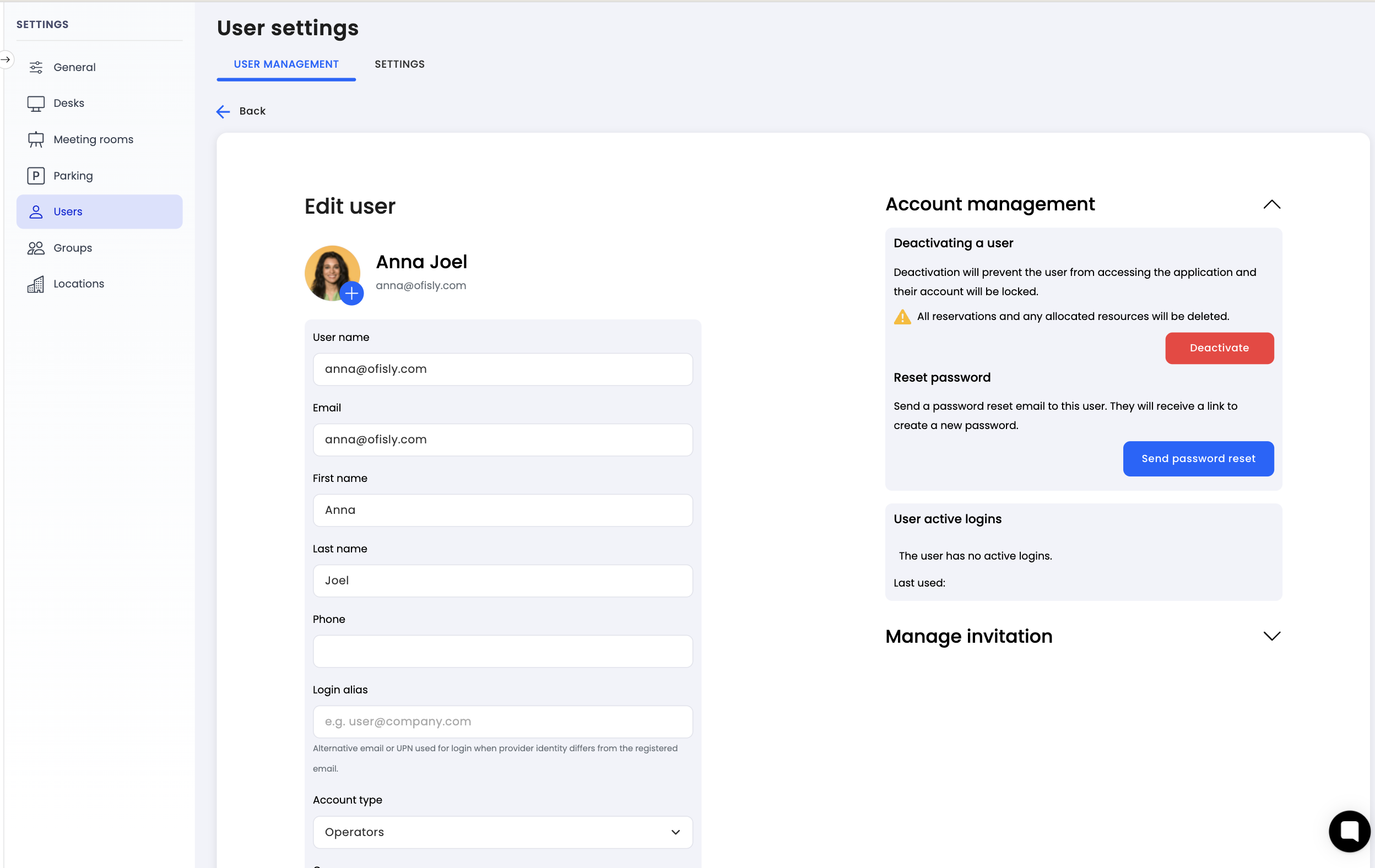
Navigate to settings: Go to the settings menu in Dibsido.
Select Users: Open the "Users" section.
Open user profile: Click on the user whose password needs to be reset.
Click Reset Password: In the user detail view, find and click the "Reset Password" button.
Confirmation: Dibsido will send an email with password reset instructions to the user's email address.
The user will receive the email and can follow the provided link to set a new password on their own.
Summary
Administrators can easily initiate a password reset for any user through the user settings. Dibsido handles the rest by sending the user an email with reset instructions, allowing them to securely set a new password themselves.