
The Booking Reminder feature sends an automatic email notification to employees who have a desk reservation for the following day. This helps reduce no-shows and keeps your team informed about their upcoming bookings.
What is a booking reminder?
A booking reminder is an automated email sent to employees the day before their desk reservation. It serves as a helpful nudge, letting them know they have a desk booked for the next day. You can configure the exact time the reminder is sent, so it fits your team's schedule.
Enabling booking reminders for desks
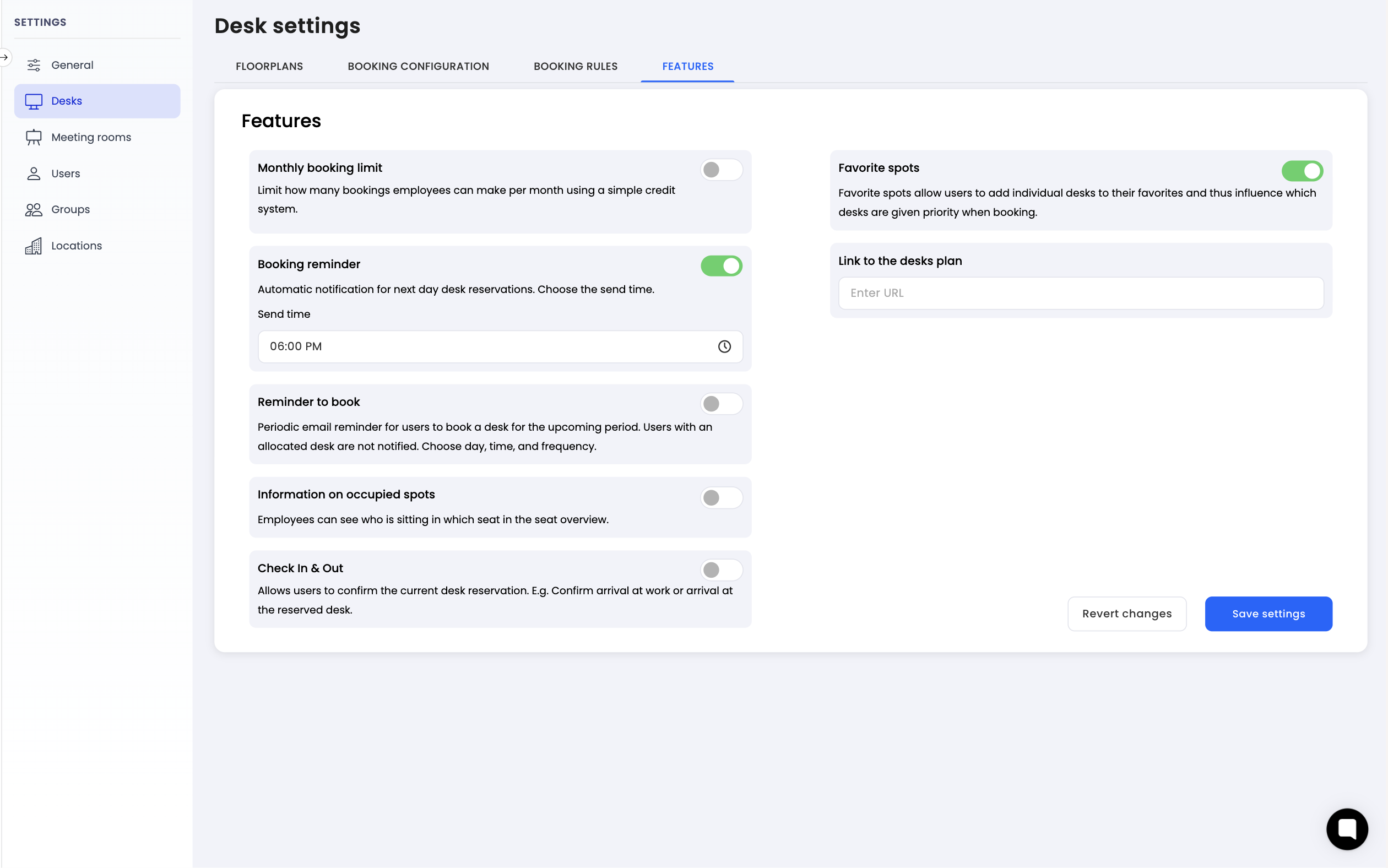
Navigate to settings: Go to the settings menu in Dibsido.
Select Desks settings: Under settings, choose the "Desks" option.
Go to Features tab: Within the desk settings, click on the "Features" tab.
Enable Booking Reminder: Find the "Booking Reminder" option and toggle it on.
Set send time: Once activated, configure the time at which the reminder email should be sent. For example, setting it to 6:00 PM means employees will receive a reminder at 6:00 PM the day before their reservation.
Save changes: Click "Save" to apply the settings.
How it works
Once the booking reminder is enabled, the system will automatically send an email to every employee who has an active desk reservation for the next day. The email is sent at the time you configured in the settings.
For example, if an employee has a desk booked for Wednesday and you have set the reminder time to 6:00 PM, they will receive an email on Tuesday at 6:00 PM reminding them about their reservation.
Summary
Booking reminders help employees stay on top of their desk reservations and reduce no-shows. Enable the feature in the Desks settings under the Features tab, set your preferred send time, and let Dibsido handle the rest.