
You can turn a desk into a shared bookable space without using the Meeting room module. This is useful for phone booths or other small rooms that should be bookable by several people during the day.
Turn a desk into a phone booth or small meeting space
Navigate to desk settings:
Go to the "Settings" menu within the Dibsido app.
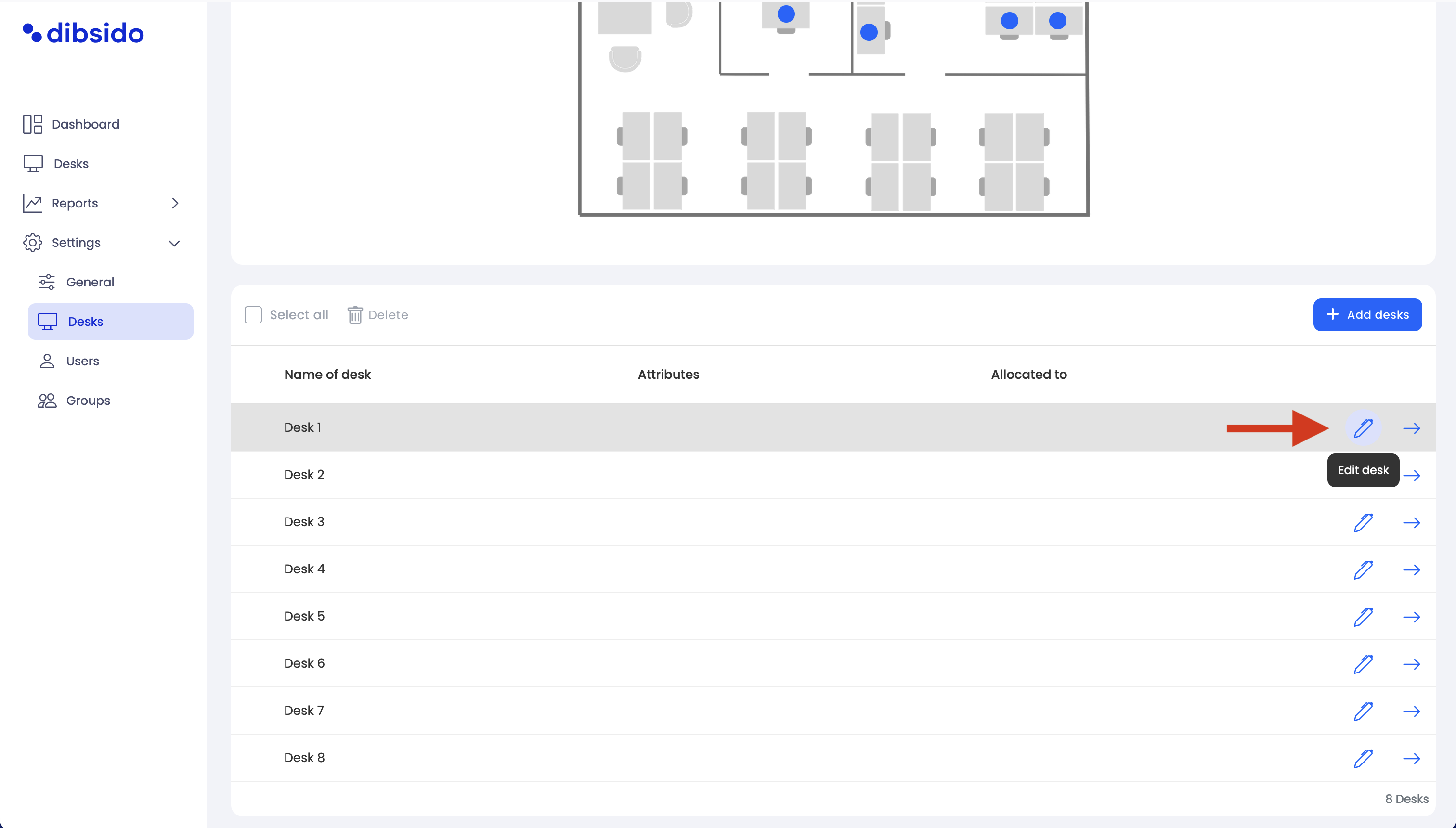
Select the "Desks" option to manage your workplaces.
Select the desk to use as a phone booth or small meeting space:
From the list of desks, choose the one you want to use as a shared bookable space.
Click on the desk name or the arrow icon to access the desk edit page.
Enable the multi-booking attribute:
Enable the "Multi-Booking" attribute by toggling it on. This allows multiple users to book the desk throughout the day.
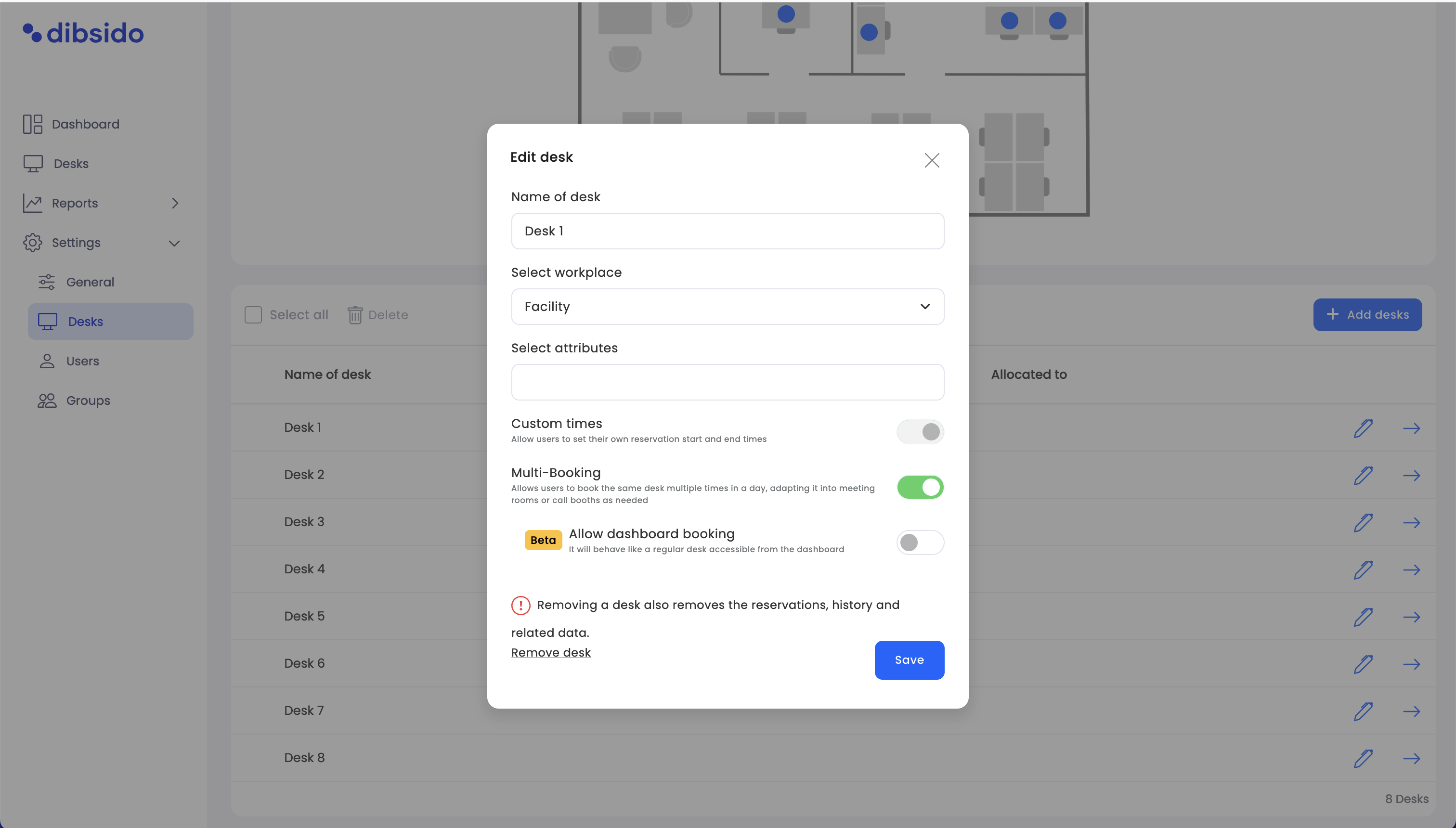
Customize the booking rules (optional):
If you want to further customize how the space can be booked, such as setting specific booking timeframes or limitations, you can do so in the "Booking Rules" section under user settings.
Save the changes:
Click "Save" to confirm the changes. The desk can now be booked by multiple people throughout the day.
If you want the dedicated Meeting room module instead, see How to add meeting rooms.